
Try the command response
Type one of the shown commands to replay its current response format with fictional data. Nothing is sent to Discord.
/level
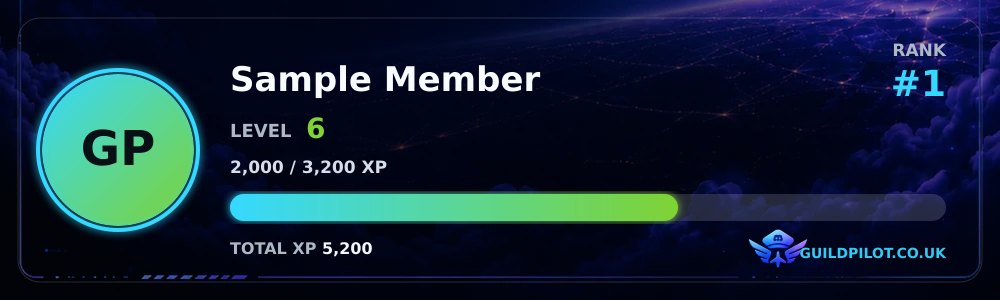
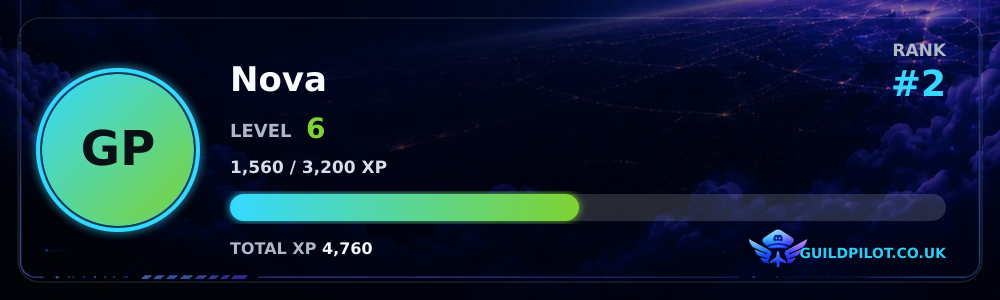
/level user:@Nova
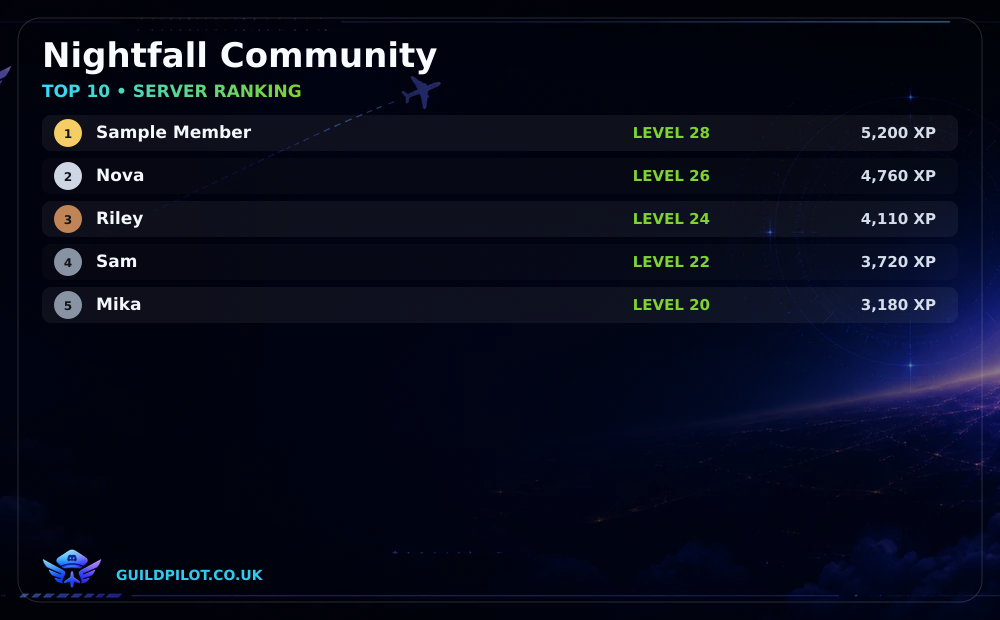
/ranking
Works only inside this preview. Press Enter to run the example.
/level
/level user:@Nova
/ranking
How to set up server leveling with GuildPilot
Leveling rewards eligible messages and voice participation with XP, levels and server ranking positions. The dashboard starts disabled so you can configure XP and thresholds before members begin earning progress.
Before you start
- Enable Message Content Intent for message XP.
- GuildPilot must be connected to voice state events for voice XP.
- Decide whether staff or other roles should be excluded from the ranking.
Warning: Reset all levels permanently sets every saved member's level and total XP to zero. It cannot be undone and is not required during ordinary setup.
Set up server leveling
1. Open XP Configuration
Open the server dashboard, select Leveling, then open XP Configuration. Keep Leveling system disabled while preparing the settings.
2. Configure message and voice XP
Choose XP per eligible message and XP per eligible voice minute. Set Message XP cooldown, Minimum message characters, and the spam-check count and period. GuildPilot excludes bots, webhooks, direct messages, timed-out members, short messages, cooldown repeats and bursts. Muted, deafened, AFK, timed-out or alone voice members do not earn voice XP.
3. Exclude roles when required
Under Roles excluded from XP, select Add role and choose each staff or system role that should not earn message or voice XP.
4. Review Thresholds
Return to Leveling and open Thresholds. Configure Level 1 cumulative XP, Growth multiplier, Exponential growth cap level and Maximum server level, then review First 10 levels.
5. Enable the leveling system
Return to the Leveling hub, turn Leveling system on and select Save changes.
Recommended configuration
Begin with a non-zero message cooldown and minimum message length so repeated short posts do not dominate progression. Review the threshold preview before changing the growth curve for an established community.
Test the setup
- Send an eligible message from a normal member account, then wait beyond the configured cooldown and send another.
- Run
/levelwith that account. - Run
/rankingand confirm that the member appears after earning ranking XP. - Do not use Reset all levels to remove test XP; use a designated test account or leave the small test total in place.
What a successful setup looks like
/level returns a member card with XP and level progress, while /ranking returns the server's top ten leveling members. New eligible activity increases the stored total according to the saved rules.
Common problems
Leveling is not enabled on this server yet
Cause: The master Leveling system switch remains off.
Fix: Open the Leveling hub, enable it and save.
Messages do not award XP
Cause: Message XP is Off, the message fails an anti-spam rule, the member has an excluded role, or Message Content Intent is unavailable.
Fix: Review XP Configuration, test after the cooldown with a long enough message, and check the active bot's intent.
Voice time does not award XP
Cause: The member is alone, muted, deafened, AFK or timed out, or voice XP is Off.
Fix: Test with two eligible members in a normal voice channel and review XP per eligible voice minute.