GuildPilot APP
Try real GuildPilot responses
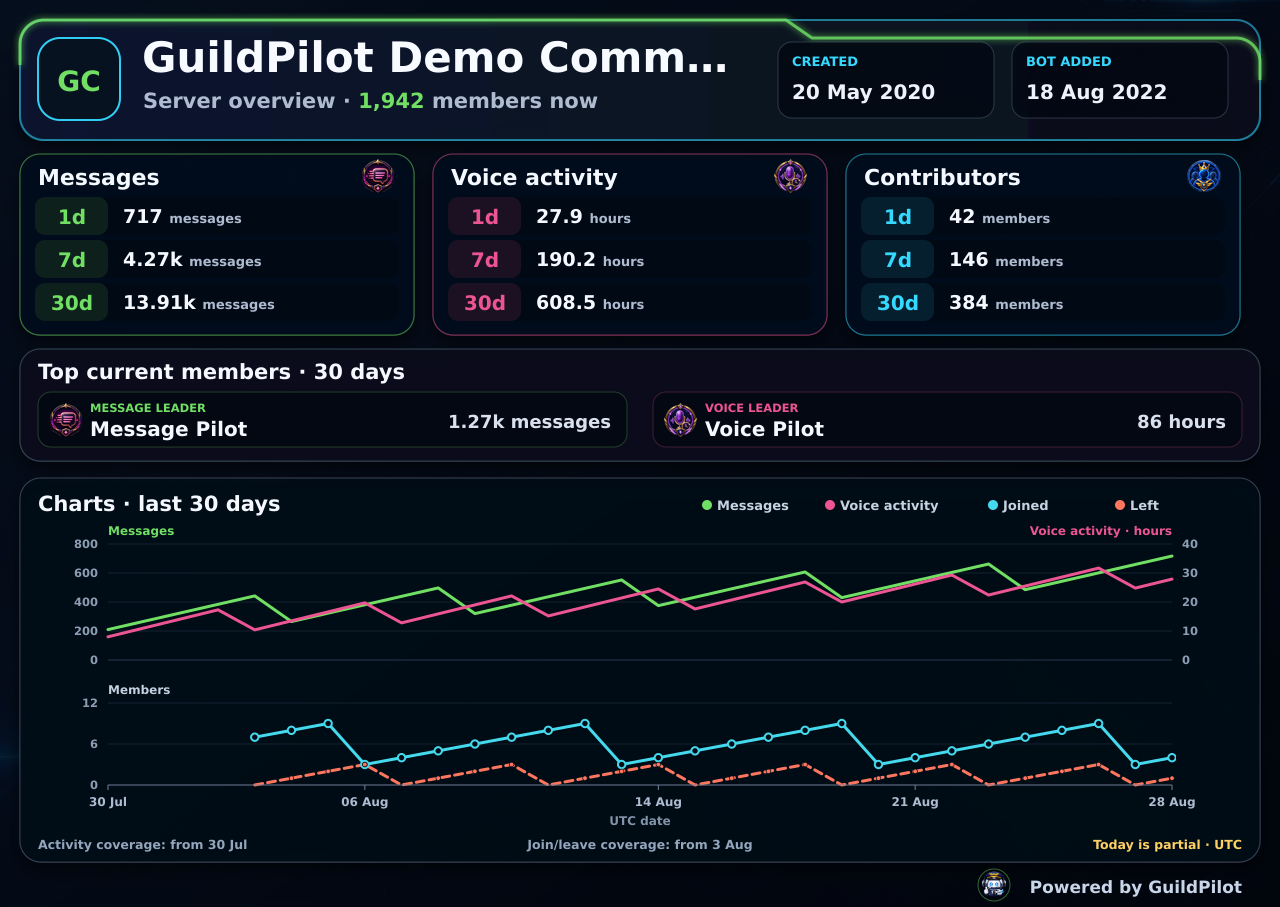
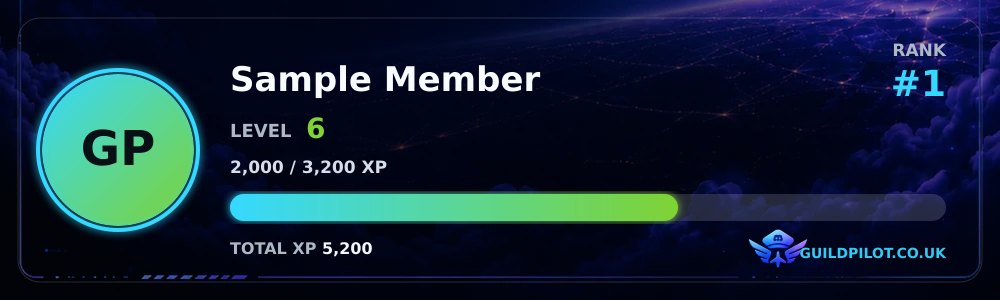
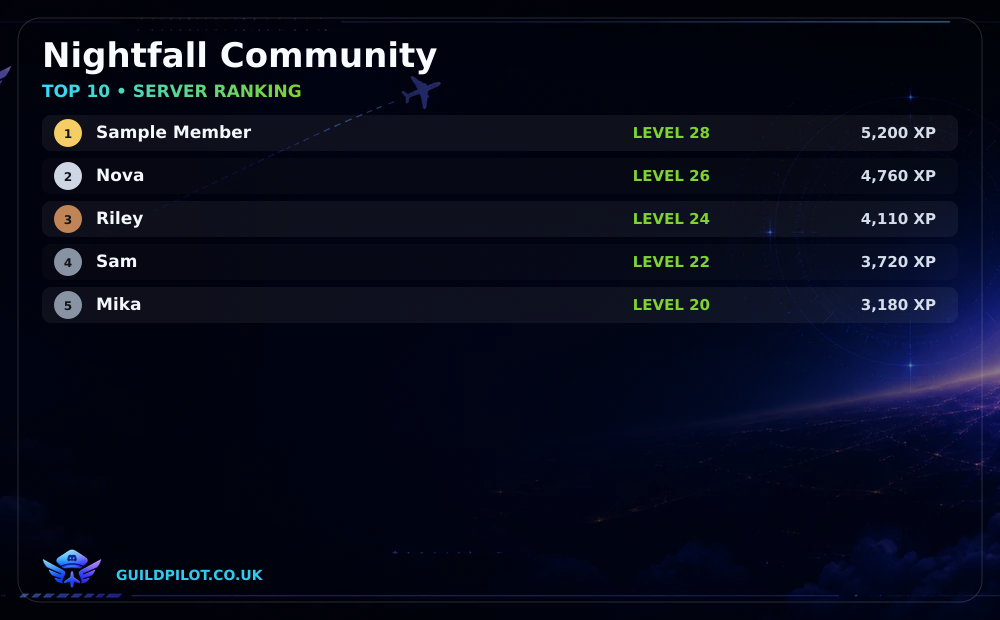
Type /server, /level or /ranking in the Discord-style composers below. The responses use GuildPilot's current renderers with fictional data and never send anything to Discord.
Generated from GuildPilot's actual command definitions, including subcommands, choices and registration permissions. Discord and runtime access checks still apply.
20 command roots from the current registry
/setupOpen the GuildPilot dashboard for this server.
Default Discord permission: Manage Server
/setupOpen the GuildPilot dashboard for this server.
No options.
/serverShow this server's GuildPilot activity overview.
Runtime access: server owner, Administrator, Manage Server or a configured GuildPilot admin role.
/serverShow this server's GuildPilot activity overview.
No options.
/profileOpen your server profile or another member's profile.
Availability follows the server's enabled features and runtime permissions.
/profileOpen your server profile or another member's profile.
[member] — Member whose profile to open. Optional/levelShow your level card or another member's level card.
Availability follows the server's enabled features and runtime permissions.
/levelShow your level card or another member's level card.
[user] — Member to show. Optional/rankingShow the server's top 10 leveling members.
Availability follows the server's enabled features and runtime permissions.
/rankingShow the server's top 10 leveling members.
No options.
/clearDelete messages from this channel.
Default Discord permission: Manage Messages
/clearDelete messages from this channel.
<amount> — Number of matching messages to delete (1-50). Required min 1 · max 50[user] — Only delete messages sent by this user. Optional/clearmsgDelete one user's messages across all text channels.
Default Discord permission: Manage Messages
/clearmsgDelete one user's messages across all text channels.
<user> — User whose messages will be deleted. Required<period> — How far back to delete messages. Required1h — Last 1 hour1d — Last 1 day7d — Last 7 days/warnWarn a member.
Default Discord permission: Manage Messages
/warnWarn a member.
<user> — Member to warn. Required[reason] — Reason. Optional[points] — Warn points. Optional/warnclearClear active warning points for a member.
Default Discord permission: Manage Messages
/warnclearClear active warning points for a member.
<user> — Member. Required[reason] — Reason. Optional/muteTimeout a member.
Default Discord permission: Moderate Members
/muteTimeout a member.
<user> — Member. Required[minutes] — Duration in minutes. Uses dashboard default when omitted. Optional[reason] — Reason. Optional/unmuteRemove timeout from a member.
Default Discord permission: Moderate Members
/unmuteRemove timeout from a member.
<user> — Member. Required[reason] — Reason. Optional/banBan a member.
Default Discord permission: Ban Members
/banBan a member.
<user> — Member. Required[reason] — Reason. Optional[delete_days] — Delete message history days, 0-7. Optional/unbanUnban a user by Discord ID.
Default Discord permission: Ban Members
/unbanUnban a user by Discord ID.
<user_id> — Discord user ID. Required[reason] — Reason. Optional/kickKick a member.
Default Discord permission: Kick Members
/kickKick a member.
<user> — Member. Required[reason] — Reason. Optional/balanceShow your Pilot Markets balance.
Availability follows the server's enabled features and runtime permissions.
/balanceShow your Pilot Markets balance.
No options.
/dailyClaim your reward once every 24 hours.
Availability follows the server's enabled features and runtime permissions.
/dailyClaim your reward once every 24 hours.
No options.
/marketView and trade Pilot Markets assets.
Availability follows the server's enabled features and runtime permissions.
/market infoShow when trading is available in this server.
No options.
/market viewView current market prices.
[symbol] — Ticker or company alias. Optional Autocomplete[period] — History period. Optional24h — 24 hours7d — 7 days30d — 30 days/market buyPreview a buy using a maximum debit including fees.
<symbol> — Ticker or company alias. Required Autocomplete<cash_amount> — Maximum credits to debit. Required min 0.01/market sellPreview a sale by share quantity.
<symbol> — Ticker or company alias. Required Autocomplete<share_quantity> — Number of shares to sell. Required min 1e-8/market historyShow recent price history.
<symbol> — Ticker or company alias. Required Autocomplete[period] — History period. Optional24h — 24 hours7d — 7 days30d — 30 days/market competition viewView the current competition.
No options.
/market competition joinJoin before the entry deadline.
No options.
/market competition portfolioView your competition portfolio.
No options.
/market competition leaderboardView competition standings.
No options.
/market competition buyPreview a competition buy.
<symbol> — Ticker or company alias. Required Autocomplete<cash_amount> — Maximum competition credits. Required min 0.01/market competition sellPreview a competition sale.
<symbol> — Ticker or company alias. Required Autocomplete<share_quantity> — Number of shares to sell. Required min 1e-8/portfolioView Pilot Markets portfolios and history.
Availability follows the server's enabled features and runtime permissions.
/portfolio viewView your portfolio or a visible member portfolio.
[member] — Member whose portfolio to view. Optional/portfolio leaderboardView the server leaderboard.
[metric] — Leaderboard metric. OptionalTOTAL_VALUE — Total valueTOTAL_PROFIT — Total profitRETURN_PERCENT — Return percent/portfolio historyView your economy history.
[period] — History period. Optional24h — 24 hours7d — 7 days30d — 30 days/bumpBump this approved server on the GuildPilot Public Servers list.
Availability follows the server's enabled features and runtime permissions.
/bumpBump this approved server on the GuildPilot Public Servers list.
No options.
/gamesOpen GuildPilot Games and launch Core Defence.
Availability follows the server's enabled features and runtime permissions.
/gamesOpen GuildPilot Games and launch Core Defence.
No options.
No commands match this search.